
Hold a key. The macro attempts quick slots. Each slot chooses a usable skill.
These screenshots show the English game controls. The skills and delays are examples, not a recommended build.
1.Arrange your quick slots
In the skill settings, place your learned skills into quick slots and arrange their priority. A skill must be off cooldown and meet its conditions to be selected.
Each vertical column belongs to one quick slot. Row 0 at the bottom has the highest priority, followed by rows 1, 2 and 3. The key row underneath shows which key presses that column.
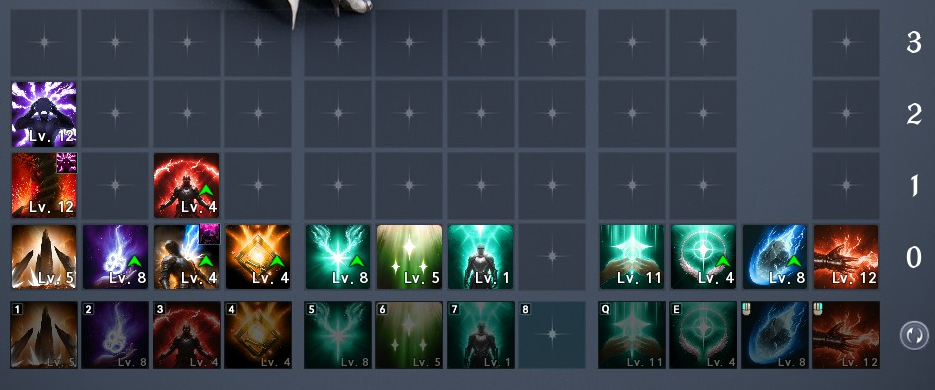
2.Add quick slots to the macro
Open Macro at the top right of the Skill screen. Use Add Macro to create a step, then click its icon to choose a quick slot.

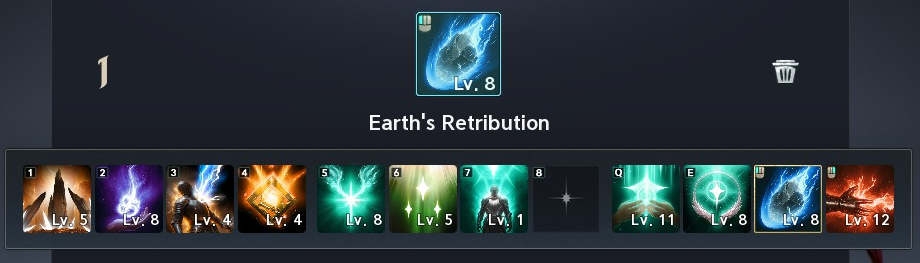
3.Set a delay for each step
Repeat Add Macro for the quick slots you want to include. Set each delay between 10 and 9900 ms; a macro supports up to 20 steps.
A delay controls the spacing of macro attempts. It does not make a skill ready or remove its casting time, cooldown, or conditions.
A smaller delay does not by itself mean more damage. Keep the setup simple while you learn which skills your quick slots select.
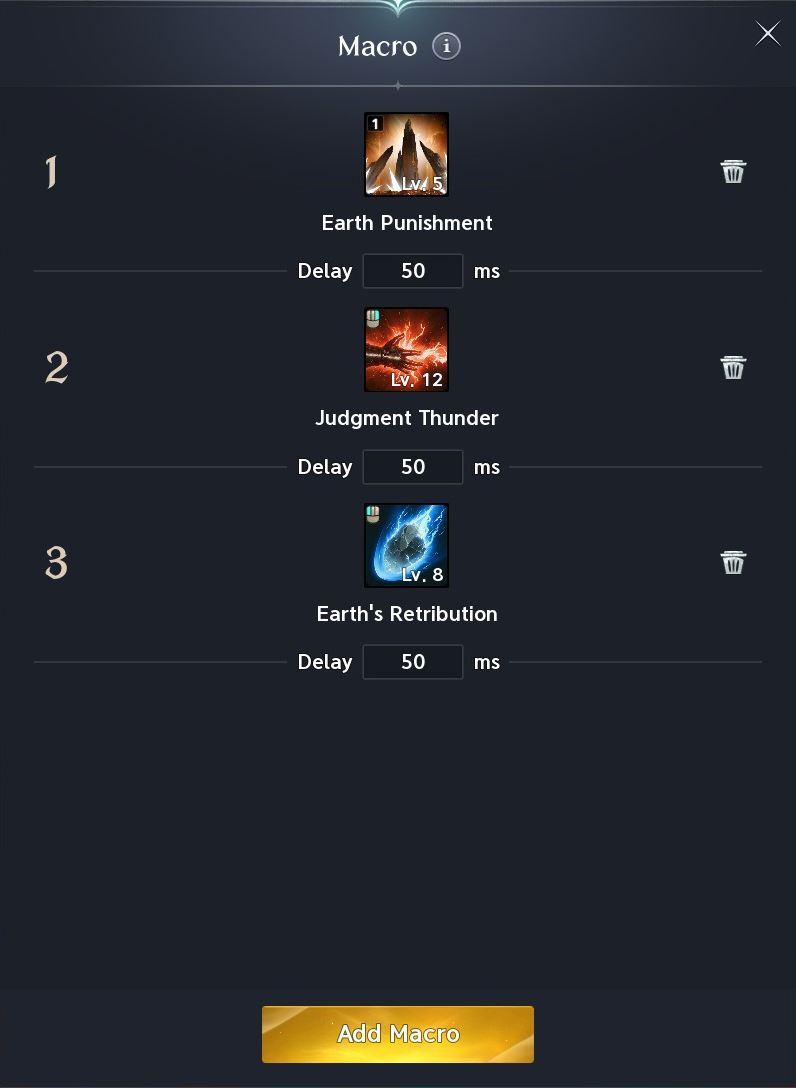
4.Bind the macro key and hold it
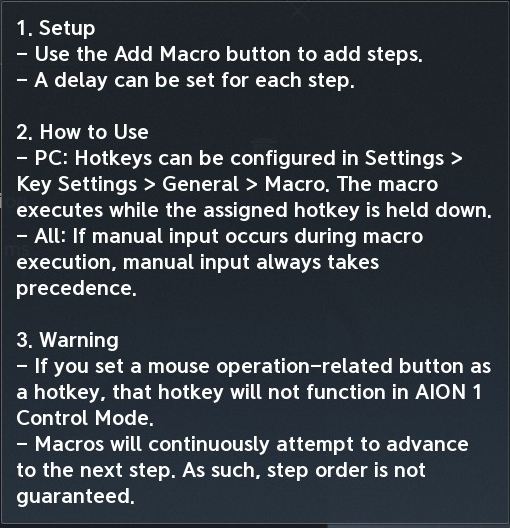
On PC, bind Macro in Settings > Key Settings > General. Hold that key to keep attempting the macro; release it to stop.
Manual input takes priority over the macro.
The macro keeps attempting subsequent steps. The game explicitly warns that step order is not guaranteed, so a macro is not a fixed rotation.
Check the macro in the preset you intend to use. Switching presets stops the macro; hold its key again after switching.
Why did nothing happen?
Check that the macro key is held and its binding is set.
Mouse-related macro hotkeys do not work in AION 1 Control Mode.
- No macro set.
- Open Macro settings and add steps with the Add Macro button.
- No skills registered.
- Place skills into the quick slots that your macro steps use.
- No usable skills available.
- Check that the selected quick slot contains a learned skill that is off cooldown and meets its conditions.
- Cannot activate macro in current state.
- Some character states block macros. The game does not list which ones.
- Macro stopped due to a preset change.
- Hold the macro key again after changing presets.